
Track Every Certification Before It Expires
Reduce lapsed credentials with a certification catalog, proof-backed technician records and automatic expiry alerts.
Certification & Skills Catalog
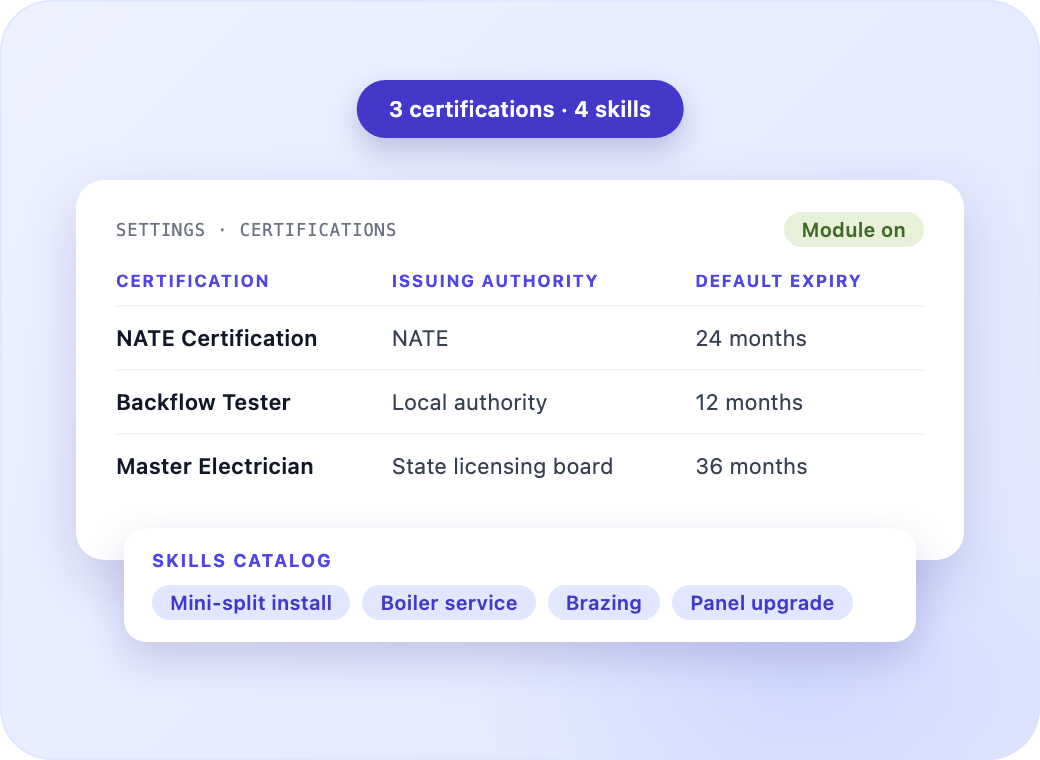
Define the certifications and skills your trade requires, with an issuing authority and default expiry period set once for every technician.
Employee Credential Records
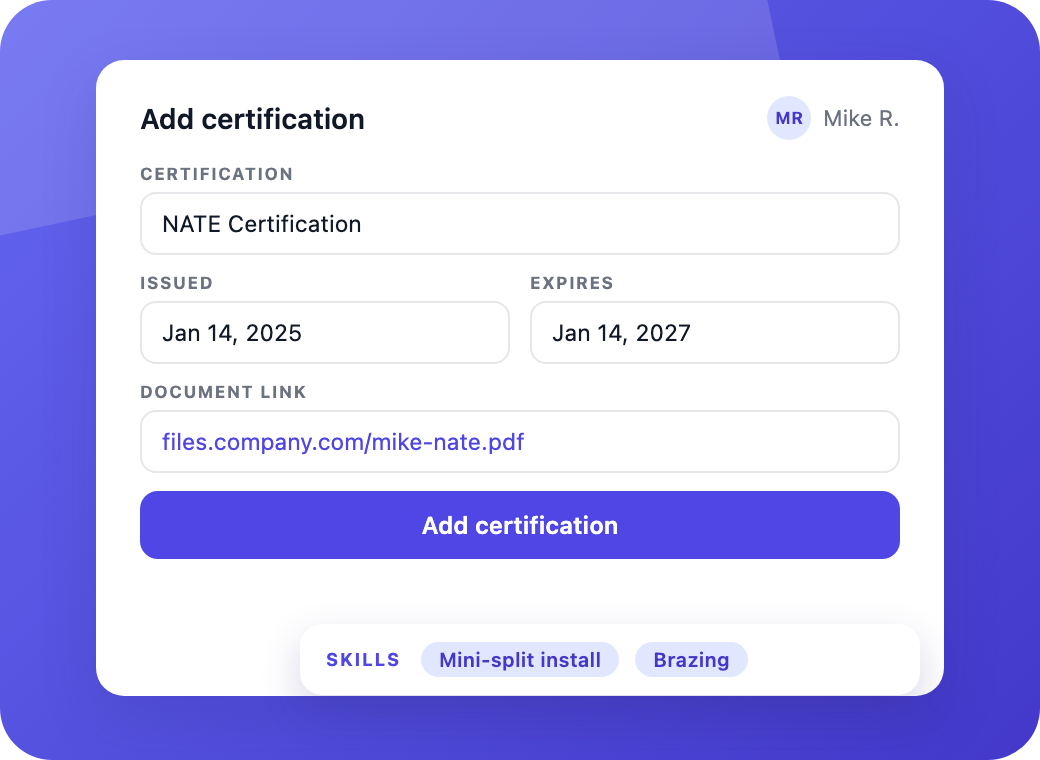
Record each technician's certifications with issue and expiry dates and a linked proof document, alongside the skills assigned to them.
Expiry Alerts & Renewal Tracking
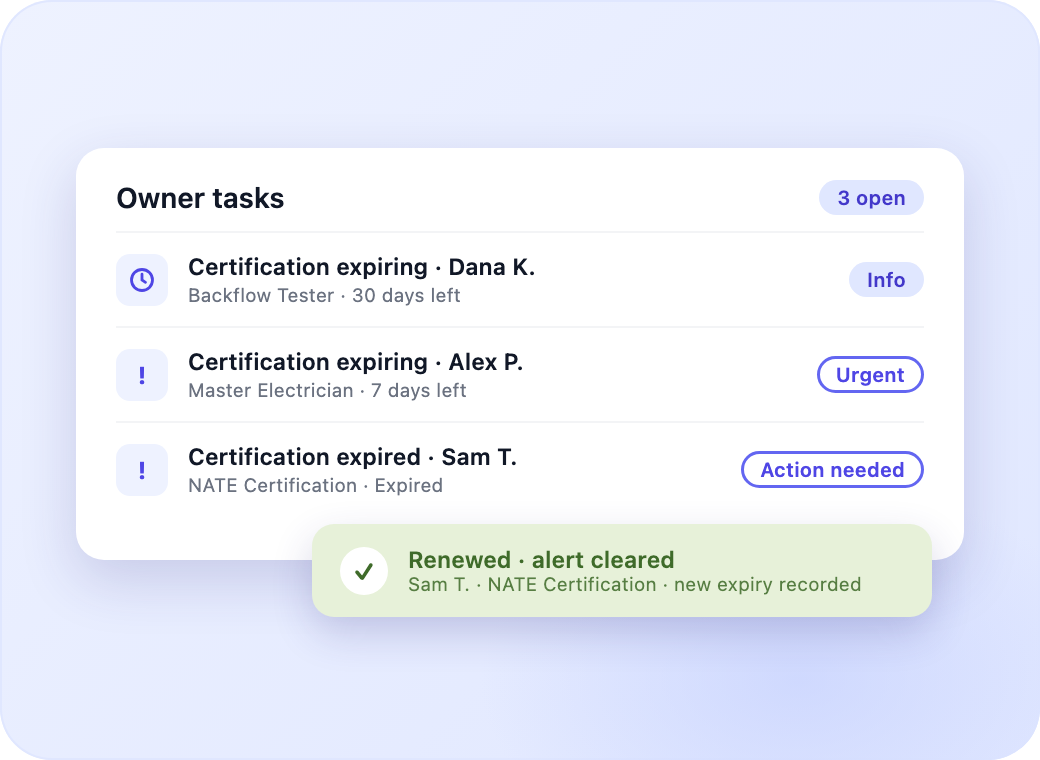
Flag certifications 30 days before expiry, escalate at 7 days, and clear the alert automatically once a renewed credential is recorded.
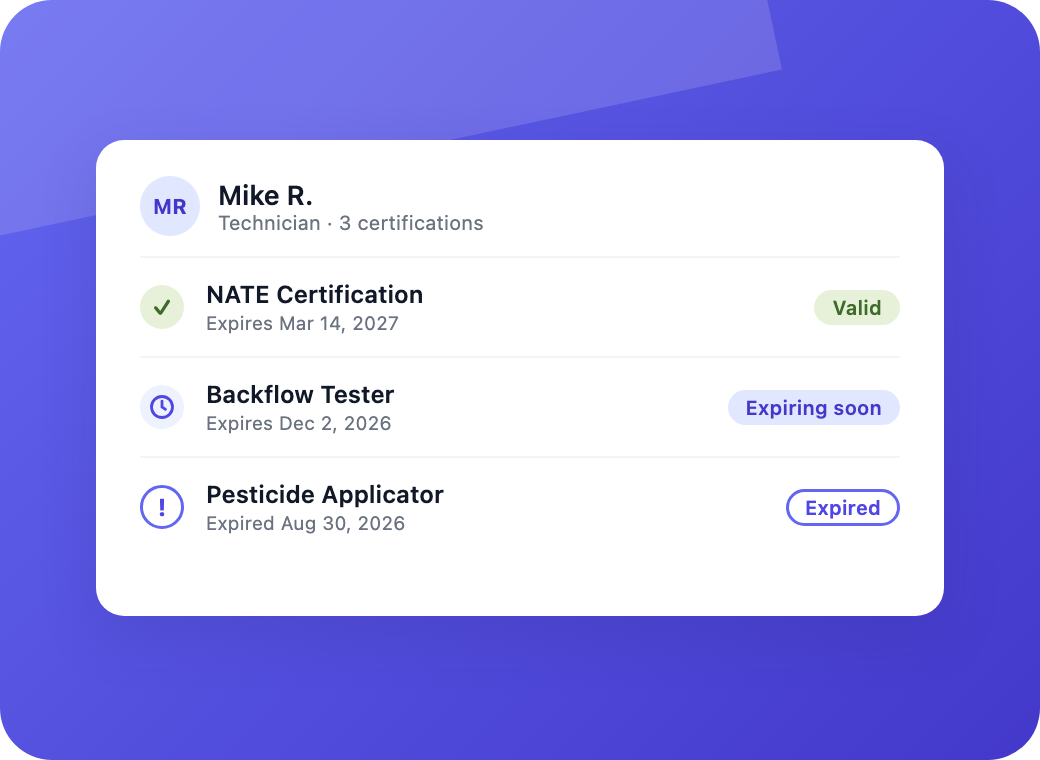
Credential Status Visibility
See every credential as valid, expiring soon, or expired on each employee profile, with certification counts across the team list.
Qualified Dispatch & Compliance Enforcement
Verify Technician Credentials Before Every Visit
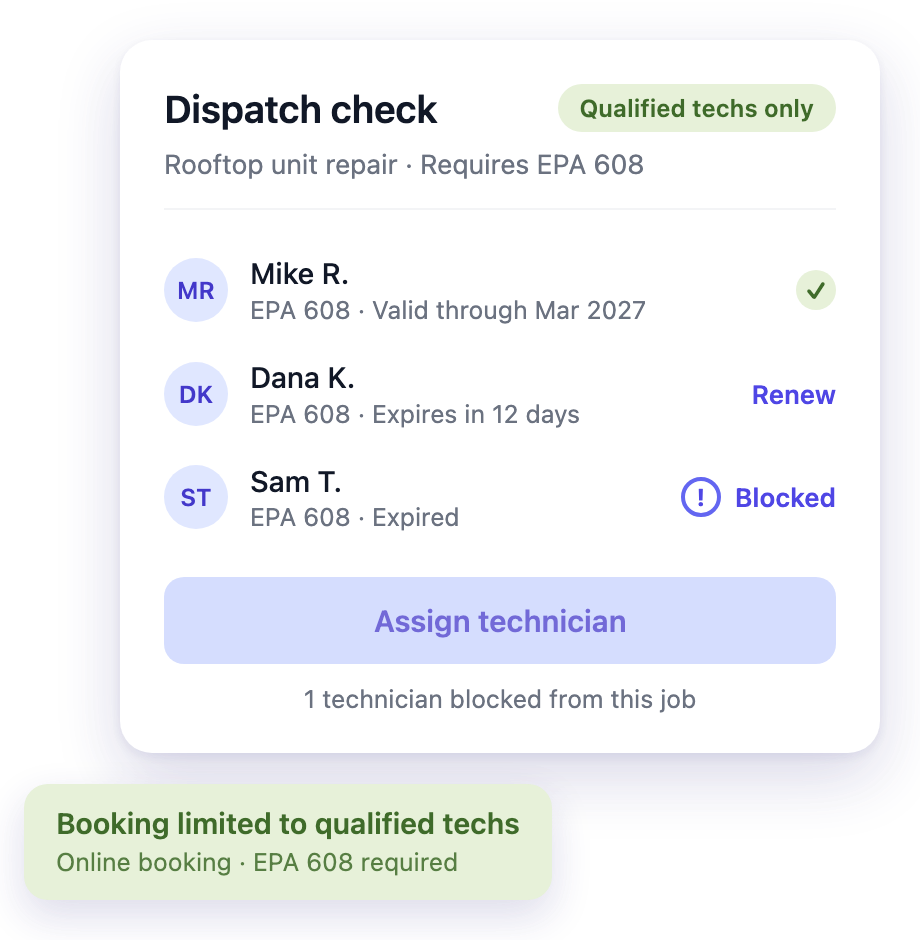
Reduce compliance gaps and repeat visits with certification rules, qualified online booking, credential-aware AI dispatch and customer-facing credentials.
Certification-Based Scheduling Rules
Check every assignment against required certifications, set each rule to inform, warn or block, and record a reason when a dispatcher overrides a conflict.
Qualified Online Booking & Crew Coverage
Offer booking slots only with qualified technicians, and cover multi-technician jobs with a certified lead for the rest of the crew.
AI Dispatch With Credential Awareness
Recommend assignments from technician certifications, location and availability through a conversational dispatch assistant.
Customer-Facing Credentials
Display the assigned technician's certifications on estimates and quotes, with the display configurable per business.
Manage Roles, Time and Onboarding for Every Employee
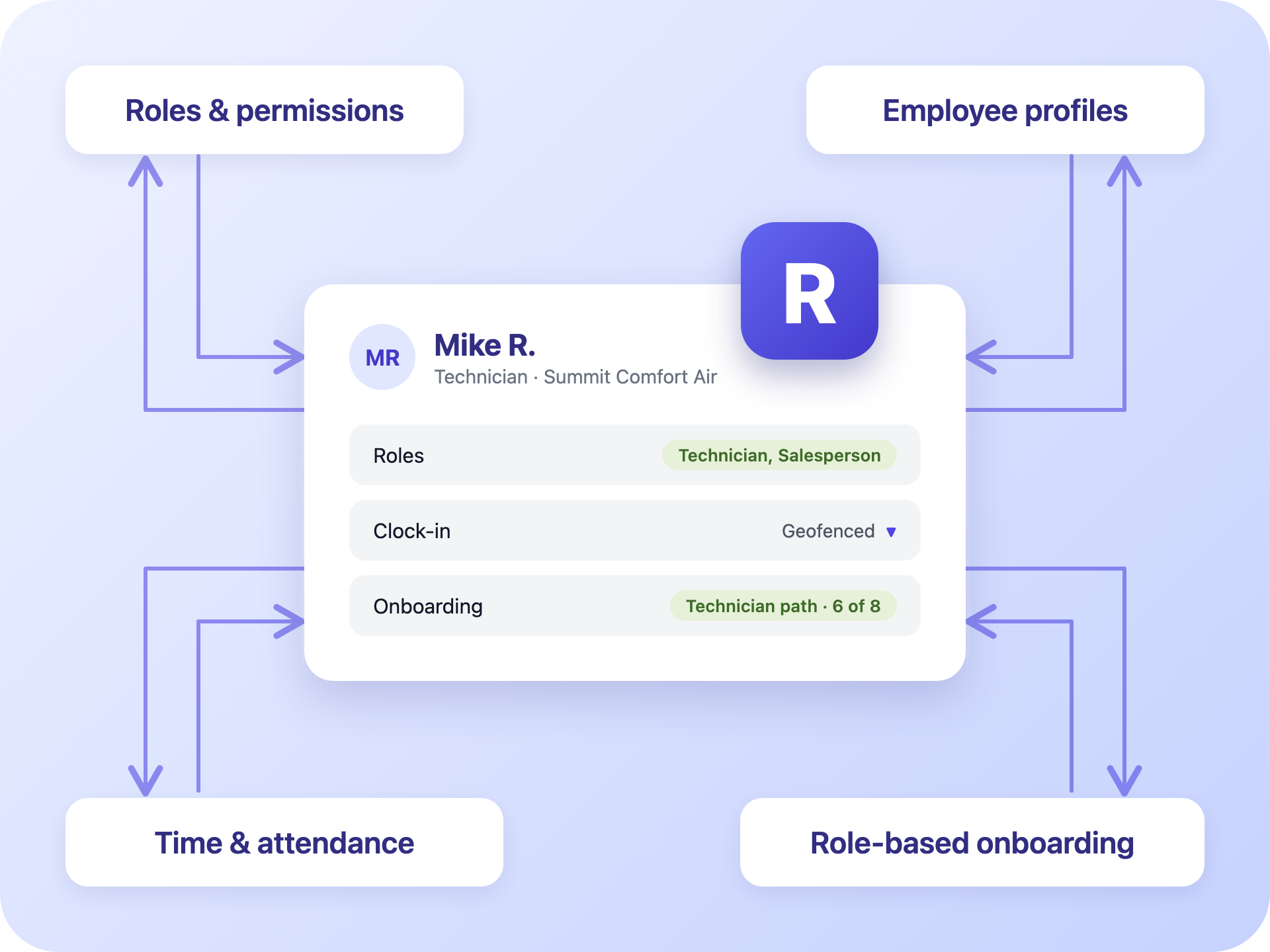
Reduce admin work and ramp-up time with roles, records, time tracking and onboarding.
- Multiple roles per employee, from owner to technician.
- Permissions that combine across each employee's roles.
- Employee profiles with contact details, skills and certifications.
- Geofenced clock-in with pay, bill and cost rates.
- A guided onboarding path for each role.
- Progress tracking for every new hire.
Team and certification questions
The short answers. Reach out any time if you want to dig into the details.
What happens when a technician's certification expires?
The credential shows as expired on the employee profile, and the owner gets an action-needed task. Scheduling flags any assignment that requires it, and online booking stops offering that technician for the job. Recording a renewed credential with a new expiry date clears the task automatically.
Can I block assignments to technicians who lack a required certification?
Yes. Set each certification rule to inform, warn, or block. Rules warn the dispatcher by default, and you can switch to block for regulated work. Online booking only offers slots with technicians who hold the required skills and valid certifications.
How far in advance am I alerted before a certification expires?
Alerts start 30 days before expiry by default and escalate to urgent at 7 days. Once the date passes, the task changes to action needed.
Can I set up the certifications and skills my trade requires?
Yes. Build a catalog of certifications with an issuing authority and a default expiry period, and a separate catalog of skills. Then assign them to each employee, attach a link to the proof document, and turn the module on or off for your business.
Do certifications that never expire work?
Yes. Record a credential with no expiration date, such as EPA 608, and it's never flagged as expiring or expired.
Can customers see a technician's credentials?
Yes. Show the assigned technician's certifications on estimates and quotes, and choose whether to display them for your business.