
Every Project On Pace and On Margin
Coordinate crews and materials across multi-phase work, monitor budget and margin performance in real time, and invoice each stage from a single project record.
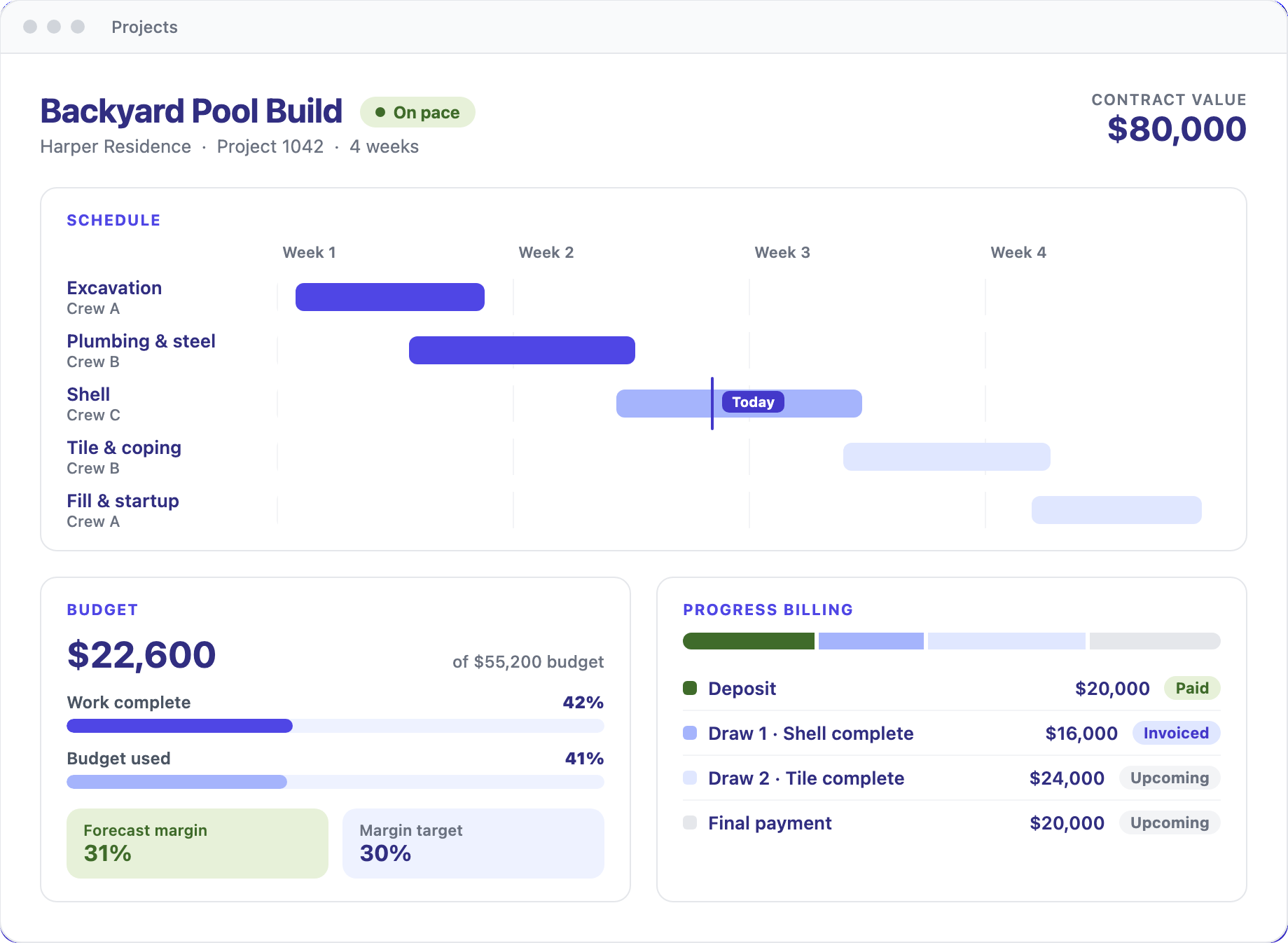
Project Management that carries every long job from signed proposal to final payment
Planning and Scheduling
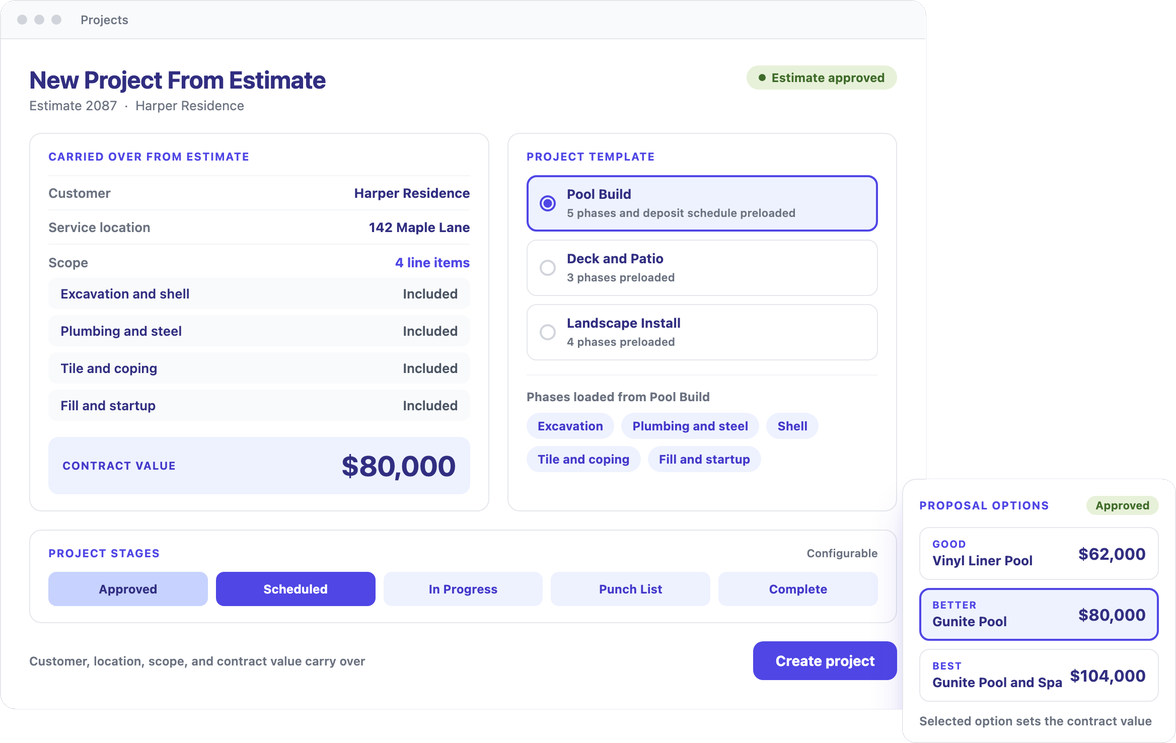
Turn an approved proposal into a scheduled project, with tiered options, e-signature, and financing at the start, and crews assigned across each phase.
Execution and Collaboration
Keep the job moving with change orders, permit and inspection milestones, punch lists, and photo documentation, while customers follow progress and approve changes in a portal.
Budget and Billing
Track cost against budget and margin as work advances, then bill deposits and draws from completed visits so cash flow follows the job.
A Consistent Start for Every Job
Convert an approved estimate into a project in one step, with customer, service location, scope, and contract value carried over. Templates preconfigure each job type for the trade, and stages are configurable to match how the company runs, so every engagement starts organized and stays consistent.
Pricing With Approval and Financing in One Flow
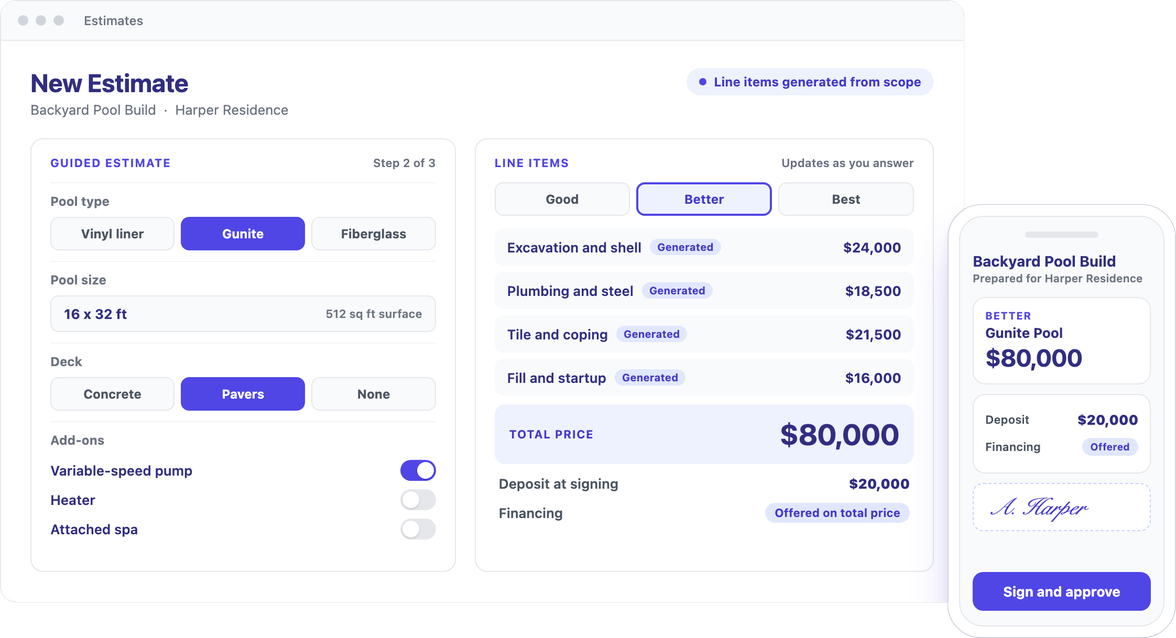
Present tiered good, better, and best options on a single proposal, with guided estimating that generates line items directly from the scope of work. Customers sign electronically and financing attaches to the total price, shortening the path from proposal to scheduled project.
Coordinate Crews Across Projects and Service
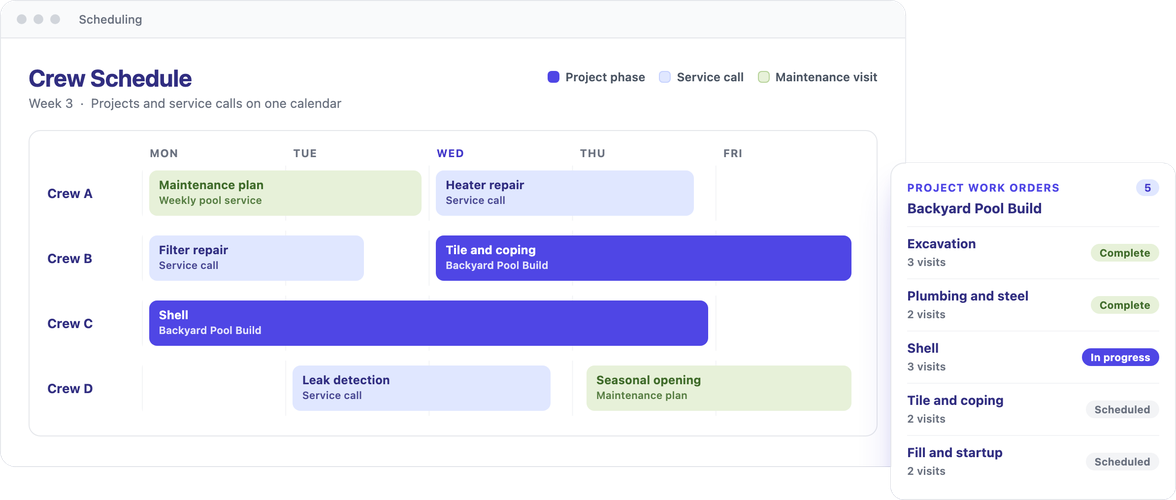
Sequence multi-day work with visits and work orders grouped under one project, and allocate crews and resources to each phase. Service calls and maintenance plans remain on the same customer account and calendar, so crews move between large builds and routine calls from a single view.
Run Each Project Phase With Full Visibility
Manage change orders, permits, subcontractors, and materials in one project record, while customers follow progress, approve changes, and stay informed through completion.
Change Orders
Record each scope change with approval and signature rules, and see its effect on the contract and billing schedule.
Permit and Inspection Milestones
Track permits and inspections as milestones that gate the next phase, so work advances only when sign-off is in place.
Punch Lists and Photo Documentation
Close out each job with tracked punch items and before, progress, and after photos stored on the project.
Sub-Crew Assignment and Payouts
Assign subcontract crews to phases and pay them directly from the project record.
Materials and Purchase Orders
Order materials against the project and track committed cost as purchase orders go out.
Insurance and Claims Fields
Capture adjuster and claim details and separate the deductible from the covered amount on insurance-funded work.
Project Documents and Timeline
Keep contracts, permits, and attachments alongside every call, email, and note in one timeline.
Customer Portal and Approvals
Give customers a portal to follow progress, approve change orders, and make payments.
Agreement and Warranty Handoff
Turn a finished install into a maintenance agreement or warranty, so the project becomes recurring revenue.
Protect Margin From Deposit to Final Payment
Monitor spending against budget, invoice each contract stage as the job progresses, and see revenue earned next to revenue billed, so cash collection keeps pace with the work and profit holds through close-out.
Track Cost as the Job Runs
Compare committed and actual cost against the budget as purchase orders and expenses post, with forecast margin recalculated along the way. Percent complete is measured from cost incurred against expected cost, so the true position of the job is clear well before the final invoice.
Bill Each Stage From Completed Work
Collect a deposit up front, then invoice against the contract through a draw schedule set by percent or fixed amount, with each invoice built from the completed visits. A billing statement shows billed, paid, outstanding, and remaining at any point, through to the final payment.
Compare Billed to Earned Across All Projects
Track billed revenue against earned revenue to see which projects are billed ahead of the work and which carry completed work not yet invoiced. A portfolio view rolls up contracted, billed, collected, and backlog for all active projects in a single table.