
Every Route Built for Profit
Reduce drive time, meet customer commitments and increase revenue per technician, with optimization built into your dispatch operations.
Route Planning & Optimization
Optimize routes for one technician or the whole team around live traffic and promised arrival windows to complete more jobs each day.

Live Route Management
Track your fleet on a live map, reassign jobs instantly, and let routes adjust throughout the day to capture new opportunities.
Revenue Optimized Dispatch
Assign each job to the best-fit technician by skills, drive time and margin to maximize revenue per route.


One-Click Route Optimization
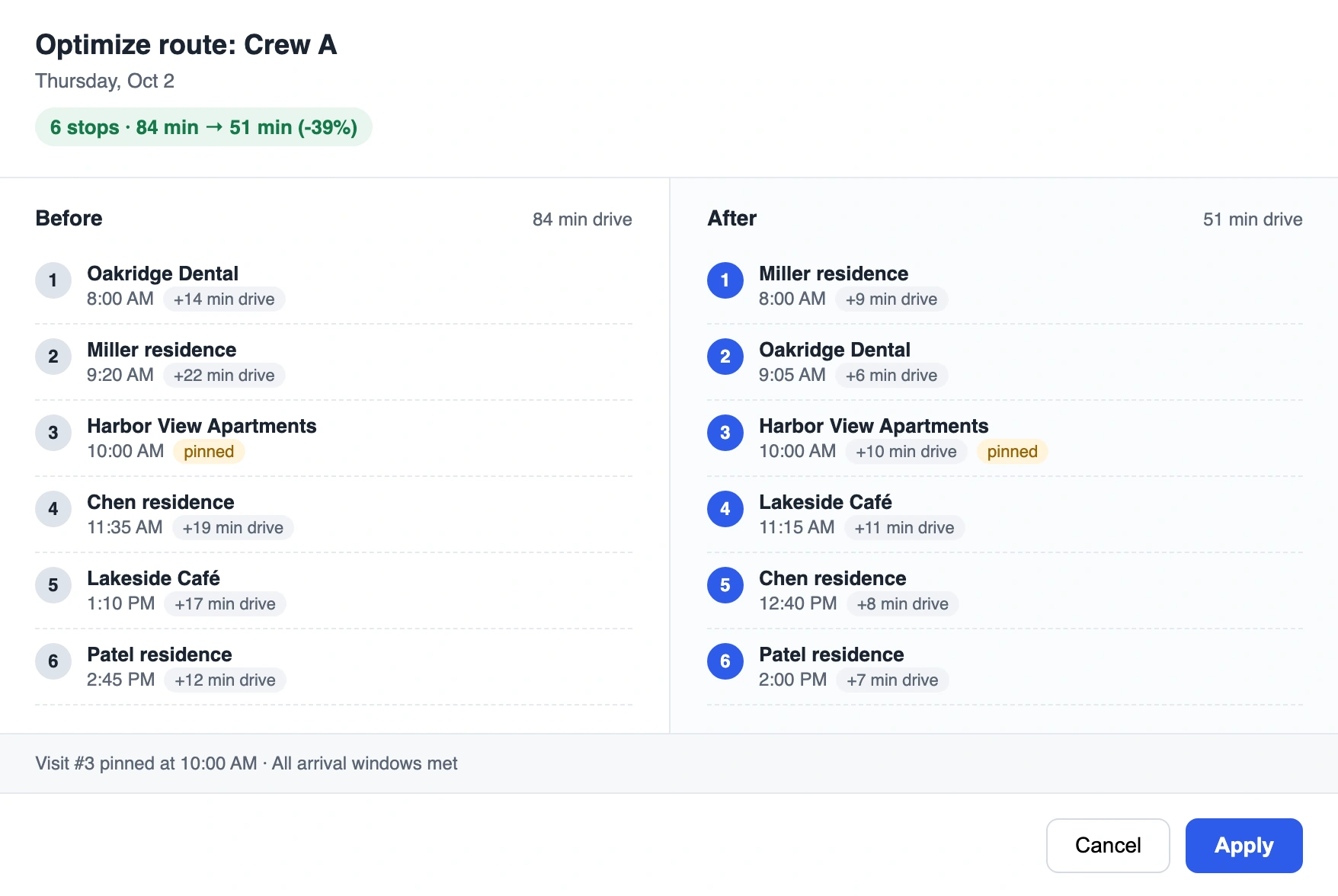
Optimize the route for any technician or crew in a single action, directly from the dispatch board or calendar. For the full day, Ritmas plans routes across all crews at once, redistributing jobs to reduce total travel time and increase daily capacity.
Arrival Window Management
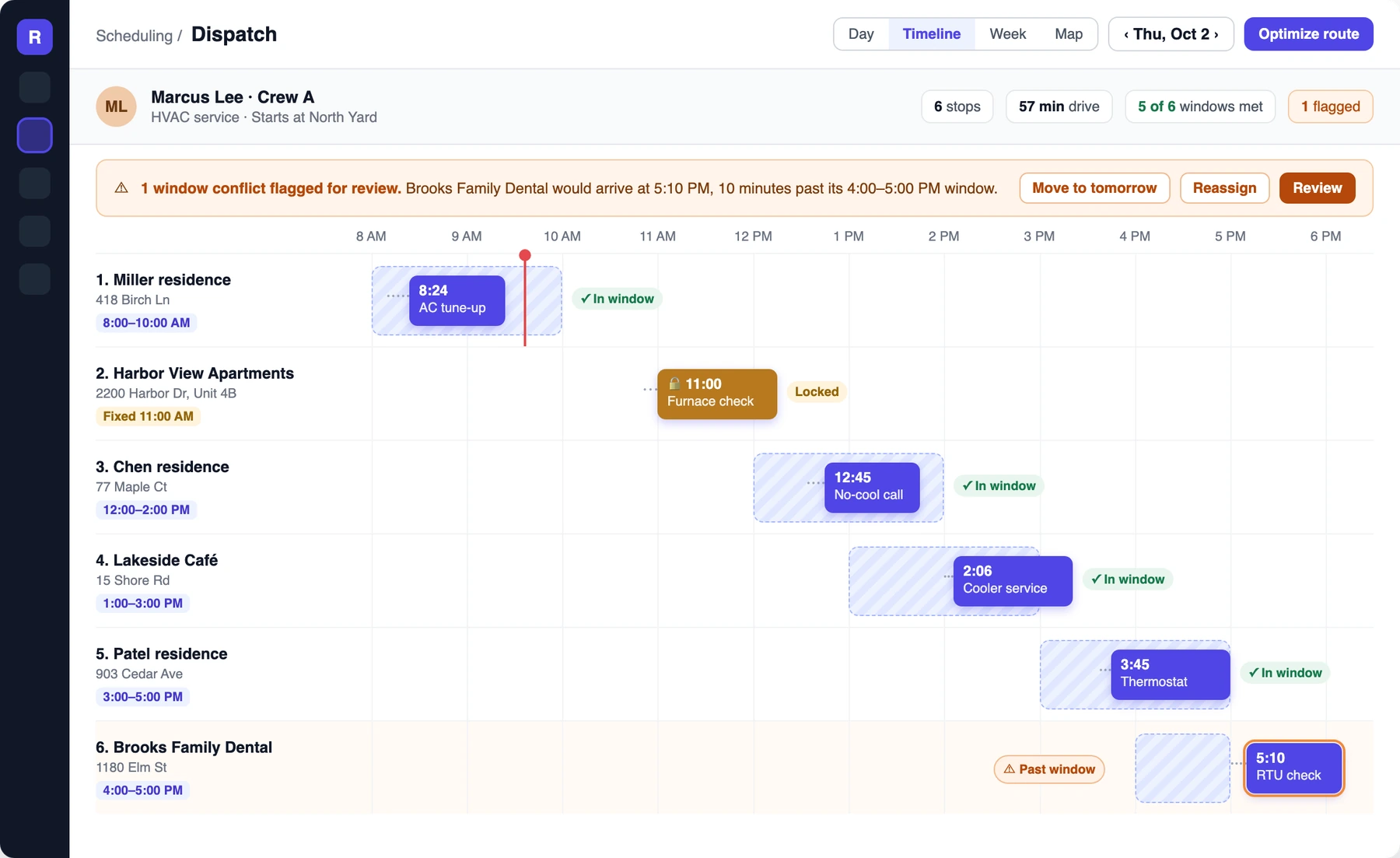
Deliver on every arrival window promised to customers. Routes are optimized around committed time windows, fixed appointments stay locked in place, and potential conflicts are flagged for review before any change goes live.
Traffic-Aware Travel Estimates
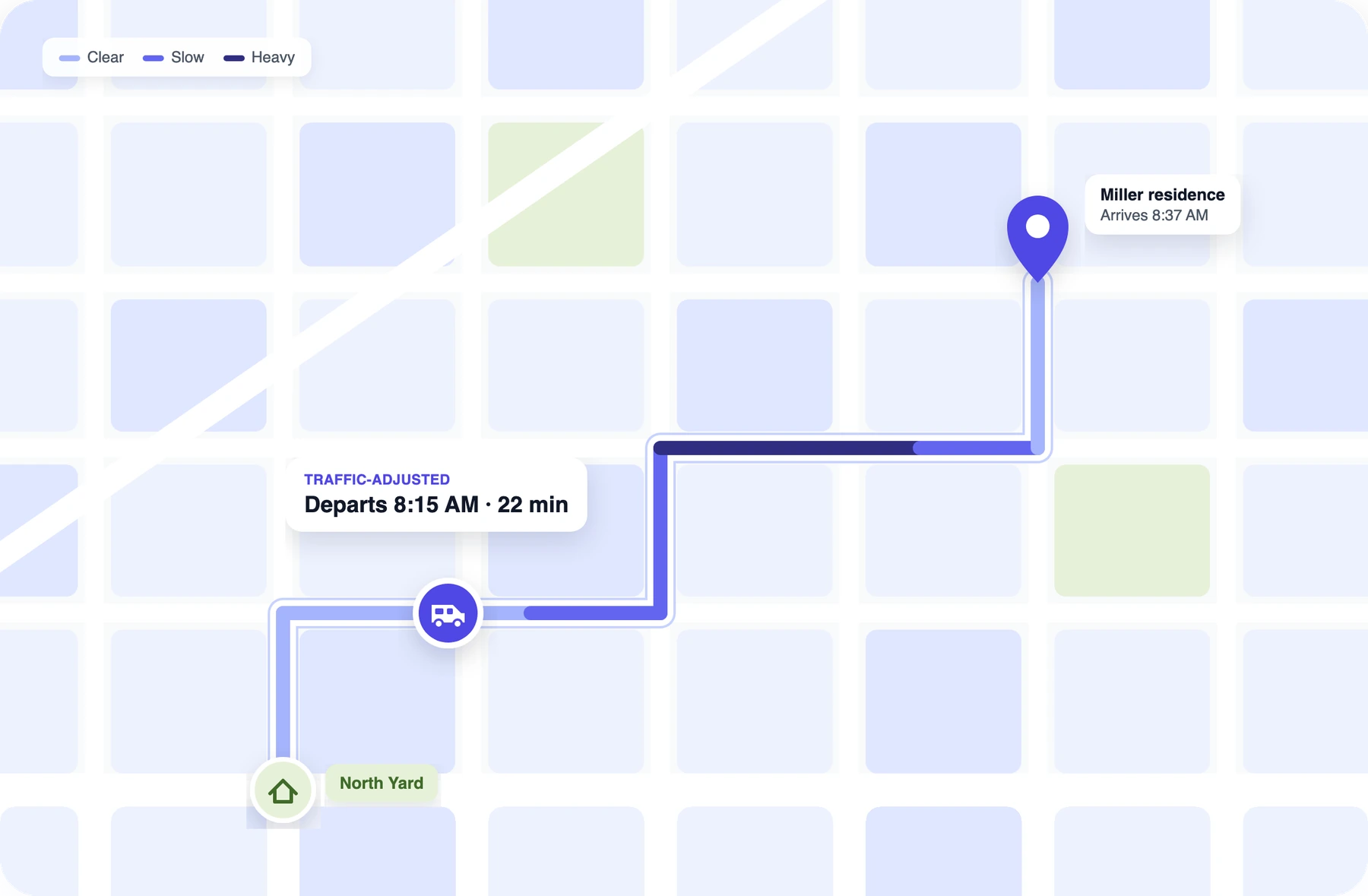
Plan routes around crew arrival times. Drive times adjust for traffic at the hour each crew departs, keeping every appointment on schedule from the first stop to the last.
Dispatcher Approval & Audit Trail
Preview the drive time saved before any route changes. Dispatchers compare the current and optimized plans side by side, and only approved updates reach the field, with a full change history.
One-Click Route Optimization
Optimize the route for any technician or crew in a single action, directly from the dispatch board or calendar. For the full day, Ritmas plans routes across all crews at once, redistributing jobs to reduce total travel time and increase daily capacity.
Arrival Window Management
Deliver on every arrival window promised to customers. Routes are optimized around committed time windows, fixed appointments stay locked in place, and potential conflicts are flagged for review before any change goes live.
Traffic-Aware Travel Estimates
Plan routes around crew arrival times. Drive times adjust for traffic at the hour each crew departs, keeping every appointment on schedule from the first stop to the last.
Dispatcher Approval & Audit Trail
Preview the drive time saved before any route changes. Dispatchers compare the current and optimized plans side by side, and only approved updates reach the field, with a full change history.
Manual Status Checks Become One Live Map

- Manual location check-ins with technicians
- Customer arrival updates sent manually
- Job-by-job reassignment
- Route rebuilds after each cancellation
- Manual conflict and compliance checks
- Live Route MapUnified view of crew routes, stop sequence and job status
- GPS Fleet TrackingContinuous vehicle and technician location data
- Dynamic Job ReassignmentBulk reassignment with automated conflict validation
- Automated Re-RoutingSelf-adjusting routes with proactive customer notifications
Every Dispatch Decision Becomes a Revenue Opportunity
Suggested slots
- #1Thu 10:00 · Marcus L.Score 92
- #2Thu 1:30 PM · Priya S.Score 86
- #3Fri 8:00 · Diana R.Score 81
Expected margin
Score factors
- Drive time
- Skills
- Workload
- Customer preference
- Margin
Auto-suggested today
Routing questions
The short answers. Reach out any time if you want to dig into the details.
Does Ritmas optimize routes?
Yes. Ritmas orders the day's stops into an efficient route to cut windshield time and fit more jobs into each day.
How does better routing help my business?
Fewer miles means lower fuel and vehicle cost, and the time saved on the road becomes additional stops the same crew can complete.
Can routes change during the day?
Yes. When jobs are added or priorities shift, the route adjusts instead of breaking.